Create the Best Chord Progressions - Fast
Work with +40 scales at ones! Select the scales you want to work with, borrow chords between them, find the best fitting chord into your song.
From top to bottom, you have your scales and from left to right, you have the chords in the scale. You can either work with a specific chord progression or you can see all the chords in the scale.
Note: It does not generate sound, it is a MIDI sequencer and you should route its MIDI Out to your audio app.


Work with Unlimited Patterns
You can work with unlimited patterns per project. Each pattern could have their unique key, scale list and chord progression.
On the bottom toolbar, you can see all your patterns.
You can simply tap one to change the pattern. Tap the plus button to add a new patttern.
Long press them if you want to copy/paste/delete them.
In AUv3 mode, you can copy/paste patterns between ChordBud 2 instances!
You can change the patterns with MIDI CC messages as well! You can use a MIDI CC sequencer like StepBud to automate your pattern changes!
Find the Best Fitting Chord
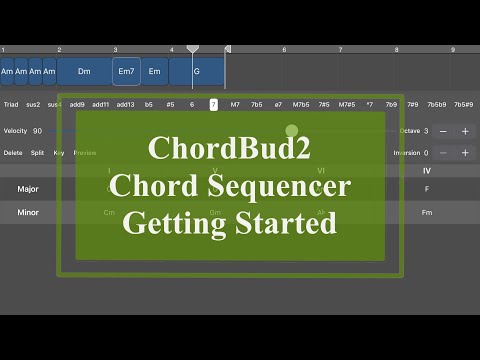
You are not limited with only triads! After adding the chords to your timeline, you can edit them by simply tapping them.
On the chord editor, you can modify your chord with add/sus/6/7/9/11/13 modes and more!
You can also edit your chord's velocity, octave, inversion and division settings.
You can edit your chords while the sequencer is playing. So you can hear you changes live and you can work very quickly.
In the timeline, you can drag the chords for changing their position and you can drag them from their right edge to change their duration.
You can pinch to zoom in or out the timeline. If you want to make more precise changes simply zoom in and work in subdivisions!


Take Advantage of AUv3
ChordBud 2 comes with an Audio Unit plugin which you can use with your favorite AUv3 host apps like AUM, Cubase, BeatMaker, apeMatrix, NanoStudio etc.
You can create custom presets and save your current ChordBud 2 state to your host app - load it again anytime.
Audiobus, IAA, Ableton Link
ChordBud 2 supports Audiobus and IAA technologies as well as CoreMIDI.
You can also enable the Ableton Link for keeping ChordBud 2 in sync with other Ableton Link enabled apps.